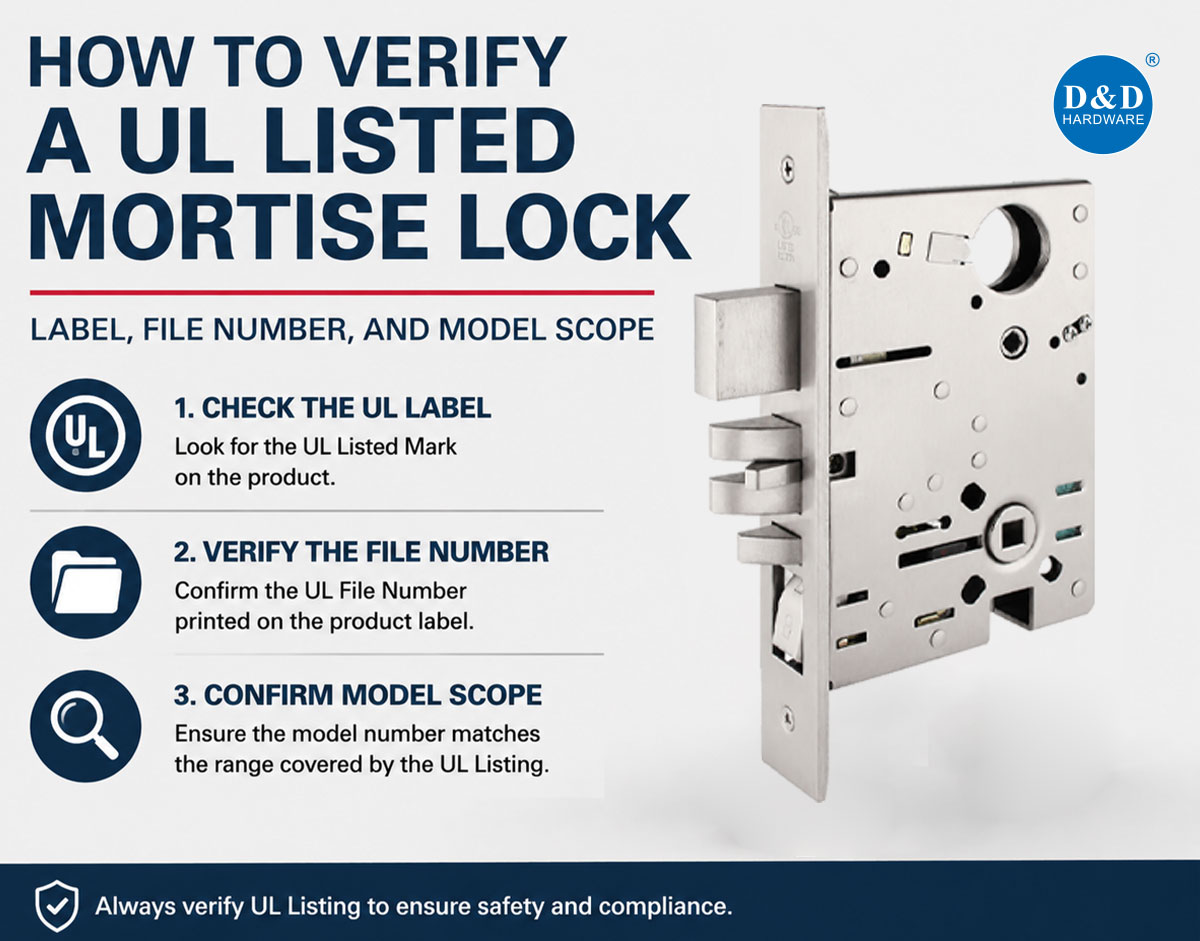
A UL logo in a catalog does not, by itself, prove that the mortise lock being quoted, supplied, or installed is UL Listed for the intended application.
Reliable verification requires several pieces of information to agree:
The certification mark on the product
The manufacturer shown in the UL record
The UL file number or unique identifier
The exact model or covered model family
The UL product category
The rating and application stated in the certification
Any construction or installation limitations
The central question is not simply, "Does this manufacturer have a UL certificate?" It is:
Is this exact mortise lock configuration covered by an active UL certification record for the required application?
This guide explains how architects, door manufacturers, hardware consultants, contractors, distributors, and inspectors can answer that question without relying only on a logo, certificate image, or general catalog claim.

Quick Answer: How Do You Verify a UL Listed Mortise Lock?
Use the following sequence:
Photograph the marking and model identification on the actual lock.
Record the manufacturer, model, suffixes, function, and relevant construction details.
Search the UL file number or unique identifier in UL Product iQ.
Confirm that the certification holder matches the product manufacturer or authorized listed company.
Check that the record covers the correct product category.
Match the submitted model to the models or series included in the record.
Read the rating, construction details, and limitations—not just the record heading.
Compare the database record with the quotation, data sheet, packaging, installation instructions, and delivered product.
Stop the approval process if the model or configuration cannot be traced clearly.
A valid file number is an important starting point, but it is not sufficient unless the proposed model falls within that file's certified scope.
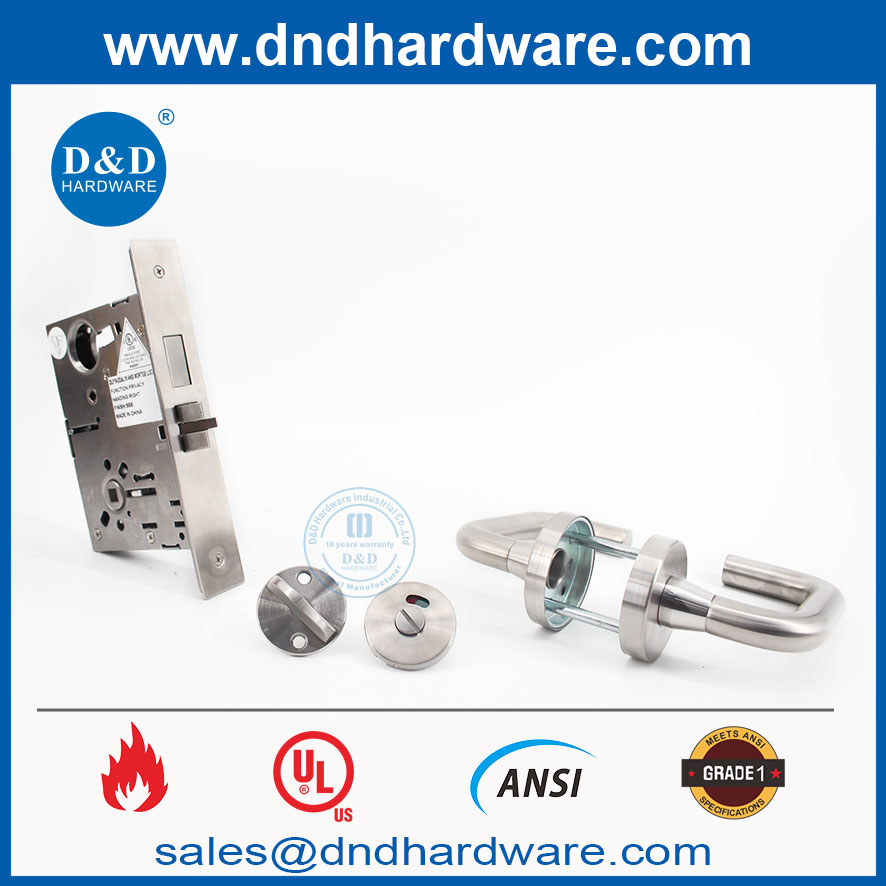
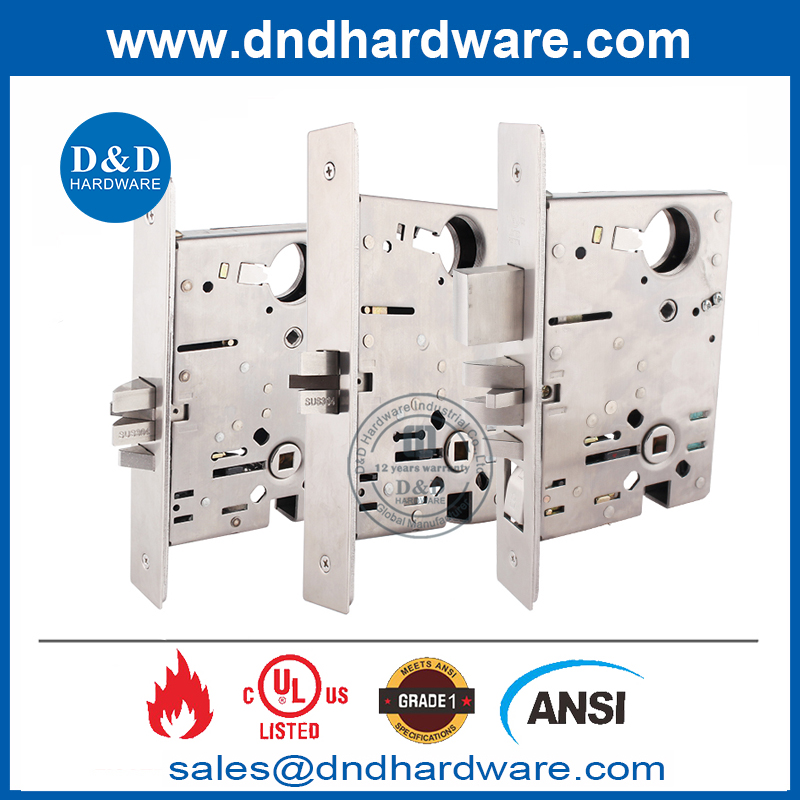
The Three Main Parts of UL Mortise Lock Verification
The label, file number, and model scope perform different roles.
| Evidence | What it can establish | What it cannot establish alone |
| Certification mark or label | The physical product is presented as a UL-certified item | Whether the mark is authorized or whether the exact configuration is covered |
| UL file number or unique ID | Connects the product to a certification record | Whether every product sold by that company is included |
| Model number and scope | Identifies which models or series are covered | Whether the delivered product is actually the same model |
| Product iQ record | Shows the certification holder, category, models, and available scope information | Whether the physical product was modified, mislabeled, or substituted |
| Certificate or test report | Supports technical and submittal review | Whether the document is current and applies to the supplied model |
| Product data sheet | Describes the manufacturer's commercial configuration | Whether the marketing claim is independently verified |
Verification is complete only when these sources point to the same product.
Readers who first need the underlying certification context can review what a UL listed mortise lock means for fire door compliance. The sections below focus specifically on how to verify the claim.
1. Identify the Exact Product Being Verified
Before searching a database, define the item precisely.
"Mortise lock," "UL fire lock," or even a manufacturer's series name may be too broad. Record the full product identity from the quotation, submittal, packaging, lock case, and label.
Collect:
Manufacturer or certification holder
Brand or trade name
Complete model number
Series number
Function code
Prefixes and suffixes
Mechanical or electrified construction
Latchbolt or deadbolt configuration
Latch projection
Trim or cylinder variation where relevant
Country or market designation
Manufacturing or date code, if provided
UL file number or unique certification identifier
Preserve spaces, hyphens, letters, and suffixes exactly as shown. ML100, ML-100, ML100E, and ML100-3/4 may represent different products or configurations.
A sales description such as "Grade 1 classroom mortise lock" is not a model identity. It must be connected to a specific catalog designation.
Verify the product as supplied—not only the sample originally approved
The model appearing on a quotation may differ from the designation stamped on the lock case. The packaging may also use a finished lockset number while the certification record identifies only the lock body or base series.
Do not silently assume that these codes are equivalent. Ask the supplier to provide a written model cross-reference when different numbering systems are used.
2. Inspect the UL Marking on the Mortise Lock
Begin with the physical product whenever a sample or delivered lock is available.
Depending on the approved marking system, the certification information may appear on:
The lock case
The lock front or faceplate
A durable label attached to the lock
Another location defined by the certification requirements
The smallest package or accompanying material in product categories where that marking method is permitted
For a mortise lock, inspect all sides of the lock case before installation. If the lock is already installed, the faceplate may show only part of the identification, and removal may be necessary to view the complete model or certification marking.
Record the marking with clear photographs before approving or installing the hardware.
What should be visible?
The format can vary between legacy, enhanced, and other authorized UL Certification Marks. Relevant information may include:
The UL symbol
Wording such as LISTED or CERTIFIED
A product identity
A unique identifier or UL file number
A manufacturer or brand identifier
A control number
A model or catalog designation
A geographic designation
A rating or qualifying statement
Not every authorized mark uses the same layout. Therefore, verification should not be based on whether a label looks exactly like an image found in another manufacturer's catalog.
The more useful question is whether the identifier on the product can be traced to a certification record that describes that product.
A UL logo is not the complete evidence
Treat the following as incomplete:
A UL symbol printed without traceable product information
A logo shown only in a brochure
A certification icon added to a website image
A sticker applied only to the shipping carton when product marking is expected
A label that cannot be connected to the manufacturer and model
A certificate photograph with no readable file number
A label image reused for several different products
Do not conclude that a mark is counterfeit merely because its layout is unfamiliar. Instead, verify its identifier through UL Product iQ and compare it with official mark information.
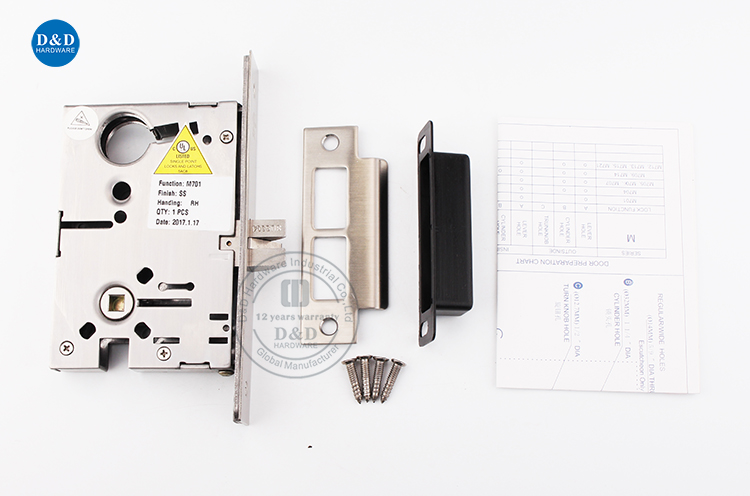
3. Find the UL File Number or Unique Identifier
The UL file number connects the certification claim to a specific UL record. It is usually more useful than searching a broad product name because product descriptions differ between websites and certification databases.
However, the file number may not always appear in the same location or format.
It may be found on:
The product marking
The UL certification document
The manufacturer's technical data
The submittal package
The installation instructions
The applicable Product iQ record
An enhanced UL Mark module or related identifier
If the file number appears only in marketing content but not in the product documentation, request better evidence before approval.
What does a UL file number prove?
A correct file number can establish that UL maintains a certification record under that number. It can also help identify:
The certification holder
The product category
Covered models or model families
Applicable standards
Ratings or descriptive conditions
Additional certification information
It does not prove that all products made or sold by the company are certified.
One company may have multiple files for different hardware types. One file may cover only selected models. Another company may manufacture a product under an authorized private-label arrangement. These relationships must be confirmed from the applicable record and supporting documentation, not inferred from the brand name alone.
4. Search the Record in UL Product iQ
UL Product iQ is the primary database used to locate and verify UL certification information.
Search using the most specific information available:
Enter the complete UL file number or unique identifier.
If no result appears, search the exact model number.
Search the certification holder's legal company name.
Use the product type or Category Control Number to narrow the result.
Remove punctuation only if the exact model format returns no result.
Review the complete certification record rather than relying on a search-result preview.
UL Product iQ supports searches using information such as file numbers, model numbers, product types, and Category Control Numbers.
Record the date of verification
Certification records can be updated. A submittal checklist should therefore record:
For a long project, consider checking the record again before final procurement or delivery, especially if the product designation or manufacturing source changes.
5. Confirm the Certification Holder
The company name in the UL record should have a clear relationship to the product being supplied.
Compare the record with:
The name marked on the lock
The brand shown on the packaging
The legal manufacturer named in the submittal
The supplier named on the quotation
Any private-label or alternate-brand information
The factory or manufacturing location, where stated
The seller, exporter, distributor, brand owner, and UL certification holder may not always be the same entity. That difference is not automatically a problem, but it must be explainable.
If the product carries one brand while the record belongs to another company, request documentation showing that the supplied product is covered under the relevant listing or authorized brand arrangement.
A statement such as "manufactured in the same factory" does not establish certification coverage.
6. Check the Product Category and CCN
A file number may be genuine but irrelevant to the mortise lock being reviewed. Always confirm the product category.
For mechanical fire-door mortise locks, a relevant record may fall under the UL category for single-point locks and latches. The Category Control Number, or CCN, helps distinguish this certification from other UL programs.
This matters because the same manufacturer may also hold certifications for:
A UL file for a hinge or panic device cannot be used as evidence for a mortise lock.
Mechanical and electrified locks may not use the same category
Do not assume that an electrified version is covered because the mechanical lock case is listed.
Adding a solenoid, monitoring switch, request-to-exit component, motor, wire harness, or access-control function can change the product category and certification scope. The electrified model must be traceable to the appropriate record for that configuration.
This article does not evaluate access-control system design. Its purpose is to prevent a mechanical lock listing from being incorrectly extended to a different electrified product.
7. Match the Exact Model to the Certified Scope
This is the step most likely to be missed.
Finding the manufacturer and file number is not the end of verification. Open the record and determine whether the submitted model appears within the certified scope.
Look for:
An exact model number
A base series followed by defined suffixes
A range of models
A family designation
Construction codes
Footnotes or explanatory notes
Restrictions attached to particular variants
Separate entries for mechanical and electrified models
Different ratings for different configurations
Exact model match
The simplest case is when the full model number on the product appears exactly in the certification record.
Even then, compare the function and construction. A model code reused across multiple commercial packages may require additional interpretation.
Model family match
A certification record may cover a family rather than listing every finished sales code. For example, a record may identify a base lock series and define permitted suffixes for function, trim, or construction.
In that situation, confirm:
What each variable represents
Whether the proposed suffix is included
Whether omitted characters are optional or required
Whether the function changes the internal lock case
Whether the finished model remains within the listed construction
Do not treat "Model A100 Series" as automatic approval for every product whose number begins with A100 unless the record defines the family that way.
Sales model versus certified model
Manufacturers sometimes use one number for the certified lock case and another for the complete lockset with lever trim, cylinder, finish, and accessories.
Where the numbers differ, request a model-mapping document showing:
| Commercial designation | Certified base model | Function | Included variations |
| Complete lockset code | Lock-case model in UL record | Actual operating function | Trim, finish, handing, or cylinder options |
The mapping should come from the certification holder or an authorized technical source. It should not be created by a distributor based only on visual similarity.
Small configuration differences can matter
A different suffix may indicate a change in:
Latch projection
Deadbolt construction
Case dimensions
Function
Electrical operation
Auxiliary latch
Strike
Faceplate
Door application
Fire-rating limitation
These are not merely ordering details.
UL has issued public notices concerning single-point locks where different latch-throw configurations under apparently similar product identification did not have the same authorization to bear the certification mark. This illustrates why reviewers must check the complete model and physical construction, not just the base series or file number.

8. Read the Rating and Application Carefully
Once the model match is established, determine what the certification actually covers.
Review the record and supporting documents for:
Applicable fire-test standard
Fire-rating duration
Door or assembly application
Maximum or minimum latch projection
Door construction limitations
Required installation method
Restrictions on modifications
Required accessories or protective materials
Special conditions attached to a model
Geographic certification scope
Do not convert "up to three hours" into "approved for every three-hour door application." The lock still has to be compatible with the specific door assembly and its installation requirements.
Similarly, the presence of a UL record does not establish:
ANSI/BHMA Grade 1 performance
Accessibility compliance
Correct egress function
Compatibility with every wood or hollow metal door
Approval of every lever or cylinder
Suitability for an electrified opening
Compliance of the complete installed door assembly
Those are separate project checks.
9. Compare the Database Record with the Submittal
A good submittal should allow a reviewer to trace the proposed lock from the hardware schedule to the physical product.
Use a comparison table instead of reviewing each document separately.
| Field | Hardware schedule | Product data | UL record | Physical marking |
| Manufacturer | Must match approved source | Must identify supplier or manufacturer | Must identify certification holder | Must be traceable |
| Model | Full scheduled model | Full commercial model | Exact model or defined family | Model or traceable product code |
| Function | Required operating sequence | Stated function | Included configuration where relevant | Consistent with delivered lock |
| File number | Required if specified | Clearly stated | Record found | Marked or otherwise traceable as required |
| Product category | Appropriate lock type | Consistent description | Correct CCN/category | Consistent product identity |
| Rating | Scheduled application | Claimed rating | Covered rating or condition | Consistent marking where applicable |
| Construction | Mechanical/electrified and bolt details | Described configuration | Covered configuration | Matches delivered product |
| Instructions | Required template and installation method | Current document | Consistent with listing conditions | Supplied with product |
Any unexplained mismatch should be resolved before approval.
10. Do Not Rely on a Certificate Image Alone
A PDF certificate or scanned report can support verification, but it should not replace the current database record and model comparison.
A certificate image may be:
Out of date
Cropped
Missing annexes
Issued to another company
Applicable to a different product category
Limited to models not shown on the current quotation
Reused after a product construction change
Missing the conditions that define the certified scope
Request the complete document, including all model tables, appendices, notes, and revision information.
Then compare it with the current Product iQ record. If the documents conflict, ask the certification holder or UL Solutions to clarify the status before proceeding.
11. Check the Delivered Lock Again
Approval of a submittal does not guarantee that the same product will arrive on site.
At receiving inspection, compare a sample from the shipment with the approved documents.
Verify:
Brand and manufacturer identification
Full model and function
UL marking
File number or traceable identifier
Latch and deadbolt construction
Latch projection
Lock-case dimensions
Faceplate
Strike supplied
Mechanical or electrified configuration
Packaging labels
Installation instructions
Production or lot information where available
If multiple functions are included in the shipment, inspect each function group. Do not assume that verification of one classroom lock also verifies passage, storeroom, privacy, or deadbolt models.
Retain photographs and shipment records as part of the project documentation.
Verification Example: D&D File No. R40901
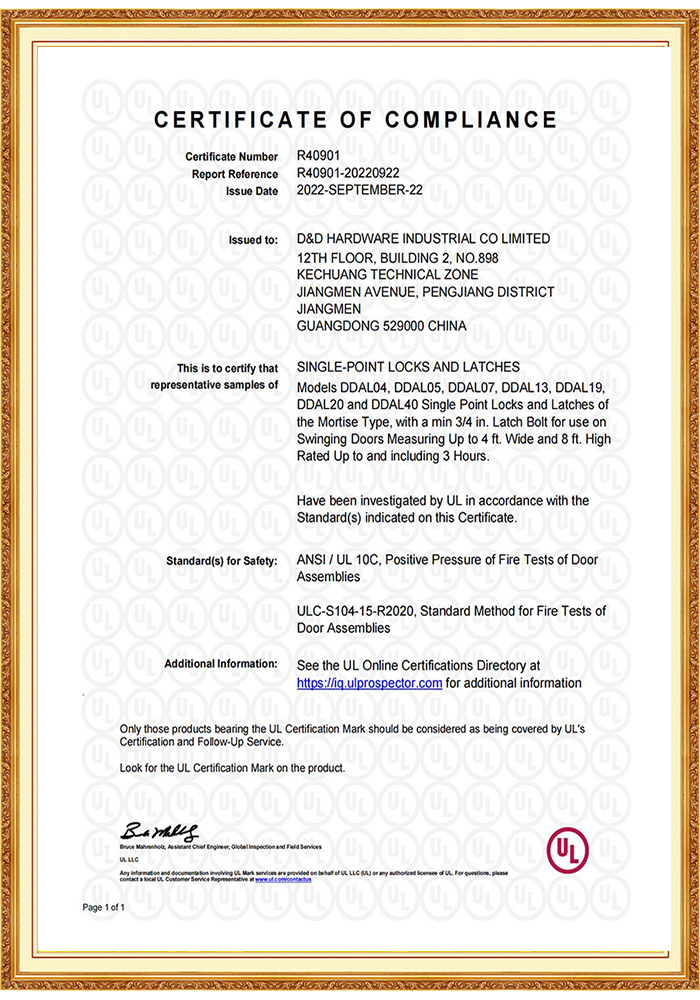
D&D HARDWARE identifies UL File No. R40901 for its fire-rated mortise lock products. UL Product iQ associates GYJT.R40901 with D&D Hardware Industrial Co Limited under the category Single-point Locks and Latches.
This provides a traceable starting point, but the file number should still be applied model by model.
For example, when reviewing a lock described as DDAL05 F05, the reviewer should confirm:
The product and packaging identify the correct manufacturer or authorized brand.
The physical lock carries the applicable UL marking.
The file identifier is consistent with R40901.
The Product iQ record covers the submitted model or its defined certified family.
DDAL05, F05, and any additional suffixes have a documented relationship to the certified model.
The actual latch, deadbolt, and lock-case construction match the covered configuration.
The rating claimed in the submittal is supported by the record and associated documentation.
The installation follows the instructions applicable to the listed product and door assembly.
D&D's UL-listed ANSI mortise lock range includes products presented for different commercial door functions. Buyers should request the exact model, UL identification, certification evidence, and technical documents for the selected lock rather than treating the category page as evidence that every possible option shares the same scope.
Common Verification Red Flags
The supplier provides only a UL logo
A logo is a certification claim, not a complete traceability record. Request the file number, exact model, certification holder, and scope.
The file number belongs to another product type
A genuine UL file for another door hardware category does not verify the mortise lock.
The company name does not match
The seller and certification holder may differ, but the relationship must be documented. Similar company names are not sufficient.
The model number is missing from the record
Ask whether the record uses a base model, series notation, or alternate designation. Require a written cross-reference. Do not approve the model based only on appearance.
The prefix matches but the suffix does not
Determine what the suffix means. It may identify a construction change that affects the certification.
The certificate covers the lock body, but the quote describes a complete lockset
Confirm which trim, cylinder, accessories, and functions can be used with the listed lock body.
The product is electrified, but the record describes a mechanical lock
Request the applicable certification record for the electrified construction.
The rating appears only on the website
Ask for certification evidence that links the rating to the exact model.
The delivered product differs from the approved sample
Stop installation and obtain clarification. A substitution should go through the same verification process as the original submittal.
The label appears altered or added after manufacture
Photograph the product, packaging, and shipment details. Check UL public notices and contact the certification holder or UL Solutions if the mark cannot be authenticated.
What Should You Do If the Model Cannot Be Verified?
Do not fill the gap with assumptions.
Take the following steps:
Repeat the Product iQ search using the full model, base model, file number, and company name.
Check whether punctuation or spacing differs between the product and record.
Ask the supplier for the complete certification record and model appendix.
Ask for a manufacturer-issued mapping between the commercial code and certified model.
Request photographs of the actual product marking.
Confirm whether the product is mechanical, electrified, private-labeled, or supplied under another legal entity.
Ask the certification holder to explain any suffix or construction difference in writing.
Contact UL Solutions when the record, product mark, and supplied documents remain inconsistent.
Withhold approval until the exact configuration can be traced.
"Not found" does not automatically prove that a product is non-certified. Search terminology, private-label arrangements, and model-family structures can complicate the record. However, certification should not be accepted until the discrepancy is resolved.

UL Mortise Lock Verification Checklist
Use this checklist during submittal or receiving inspection.
Product identity
Manufacturer or certification holder recorded
Brand recorded
Full model number recorded
Prefixes and suffixes recorded
Function recorded
Mechanical or electrified construction identified
Product photographs obtained
Physical marking
UL Certification Mark found
Product identity is readable
File number or unique identifier recorded
Marking is consistent with the product and packaging
No signs of alteration or unexplained relabeling found
Product iQ record
File number searched
Certification holder confirmed
Correct product category confirmed
CCN recorded
Exact model or defined model family found
Suffixes and variations reviewed
Rating and application reviewed
Limitations and notes reviewed
Verification date recorded
Document comparison
Hardware schedule matches the submitted model
Product data matches the UL record
Certificate is complete and current
Model cross-reference provided where needed
Installation instructions match the listed product
Delivered lock matches the approved submittal
Conclusion
To verify a UL listed mortise lock, follow the evidence from the physical product to the certification database and back to the project documents.
The mark identifies the certification claim. The file number identifies the UL record. The model scope determines whether the particular lock is covered. The rating and limitations define how that lock may be used.
If any link in that chain is missing, the product has not yet been fully verified.
For procurement and project approval, request the exact model designation, clear label photographs, the applicable UL file reference, model-scope evidence, and matching installation documents. That process provides much stronger assurance than relying on a certificate image or general statement that a manufacturer's mortise locks are "UL certified."

Frequently Asked Questions
Can I verify a UL listed mortise lock by its logo?
No. The logo should be combined with traceable identification, a relevant UL record, and a model-scope check. A logo shown only in a catalog or website image is insufficient.
Is the UL file number the same as the model number?
No. The file number identifies a certification record associated with a company and product category. The model number identifies the particular product or product family within that scope.
Does a valid UL file number cover every mortise lock from the manufacturer?
No. The record may cover only specific models, series, functions, or constructions. Each proposed model must be matched to the certified scope.
What if the complete sales model is not shown in Product iQ?
Check whether the certification record lists a base lock case or model family. Ask the manufacturer for a written cross-reference explaining how the commercial model relates to the certified designation.
Can two models with the same lock case have different certification status?
Yes. Differences in latch projection, deadbolt construction, function, electrical components, or other details can affect coverage. Similar appearance does not prove identical certification status.
Does a UL Listed mortise lock automatically comply with ANSI/BHMA Grade 1?
No. UL certification and ANSI/BHMA performance grading address different requirements. Each claim must be verified through the appropriate record or test documentation.
Is a three-hour rating valid for every fire door?
No. The rating must be read together with the certified model, applicable construction, installation conditions, and the listing of the complete door assembly.
Should the lock be checked again after delivery?
Yes. Compare the delivered model, marking, bolt construction, packaging, and instructions with the approved submittal. This helps detect substitutions or configuration changes before installation.
Contact us Now:
Contact: David Jian
Mob:0086-139 2903 7292
Email: David@dndhardware.com, sales@dndhardware.com,
Contact: Jobby Zhang
Mob:0086-137 2599 9617
Email: jobby@dndhardware.com
D&D HARDWARE INDUSTRIAL CO.,LTD
ADD:12th Floor, Building 2, No.898, KeChuang Technical Zone, Jiangmen Avenue, Pengjiang District, Jiangmen City, Guangdong, China (Postcode:529000)
https://www.dndhardware.com
Tel: +86-750-3856396
Fax: +86-750-3856395
 English